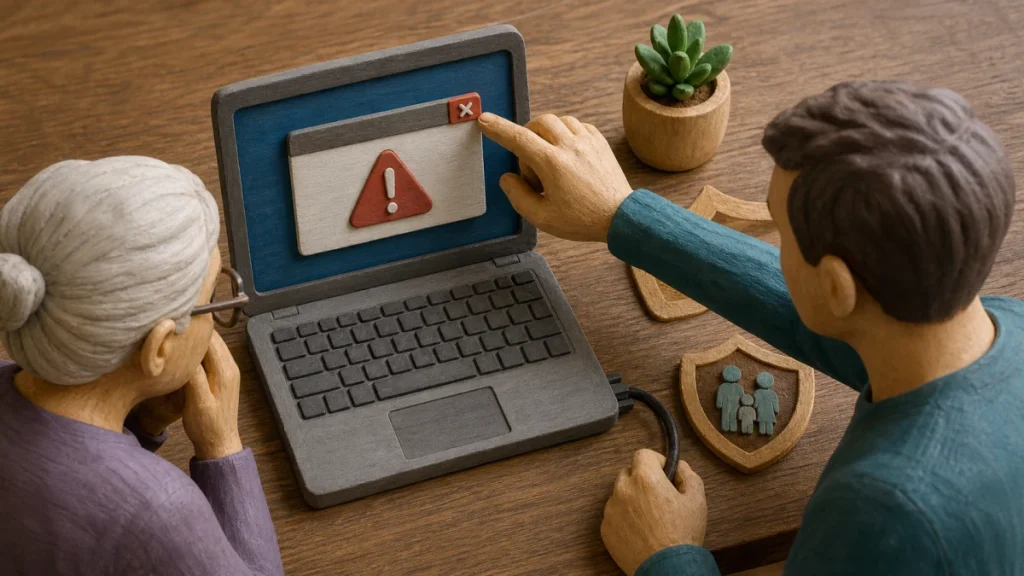
Real technology companies do not make unsolicited calls to announce a computer infection. Close browser warnings without calling, refuse remote access, and reach help through a known family contact, device settings, or the vendor’s official support page. Never open online banking while a stranger controls or watches the device.
The practical objective is to separate the claim from the channel that delivered it. End the call, force-close the browser if needed, and have a trusted person inspect the device using known tools before any further sensitive use. That pause preserves your options and prevents the sender from defining both the problem and the supposed solution.
Why this approach can be convincing
Families are safer when verification is a shared routine rather than a test of technical skill. Scammers exploit emotion, authority, secrecy, embarrassment, and time pressure across phone calls, games, social media, jobs, relationships, donations, pets, and housing. The caller or pop-up creates fear with ordinary logs, fake scans, loud warnings, or a large renewal invoice. Remote control lets the scammer manipulate the display, steal data, and direct transfers while claiming to repair the device or return money.
For a tech-support contact aimed at an older adult, focus on authorization and evidence rather than confidence. A sender can copy appearance, learn personal details, or automate a conversation; the sender cannot make an unrelated account, independently listed contact, or official record confirm an event that never happened.
Clues that justify a pause
When evaluating a tech-support contact aimed at an older adult, one clue may have an innocent explanation. Several clues surrounding a request for money, credentials, identity data, software, or secrecy create a much stronger reason to disengage.
- The warning includes a phone number or says closing the window will damage the computer.
- The technician asks for remote access, bank login, gift cards, crypto, or a refund transfer.
- The caller says family, bank staff, or local technicians will interfere with the repair.
- The contact reacts angrily or changes the story when asked to pause, call back, or involve another trusted person.
- A child, teenager, or older adult is told they will be punished, embarrassed, or lose an opportunity if they tell someone.
- The person demands secrecy or says only one family member can solve an urgent problem.
A safer verification sequence
Verification of a tech-support contact aimed at an older adult should create a new path that the original sender does not control. Work through the following sequence and stop as soon as the claim fails an independent check.
- Define the claim: End the call, force-close the browser if needed, and have a trusted person inspect the device using known tools before any further sensitive use.
- Leave the supplied channel: Invite a second trusted person into any urgent request involving money, credentials, intimate material, or a major commitment.
- Check the real record: Verify the underlying opportunity through official records, a real-world visit, a company website, or a platform’s protected process.
- Confirm with an authorized source: Separate identity verification from emotion: a familiar voice, photo, profile, or convincing story is not enough by itself.
- Record the outcome: Call the person, company, charity, school, landlord, or platform through contact information the family finds independently.
Do not let a verification call about a tech-support contact aimed at an older adult become a continuation of the suspicious conversation. Find contact details independently, explain only what is necessary, and never disclose a password or one-time code merely to ask whether a notice is real.
Build a broader safety plan
For a tech-support contact aimed at an older adult, this incident rarely exists in isolation. The following related checks close common paths a scammer may try next:
- Use the practical guide to romance scam warning signs for families when the suspicious contact changes channel or asks for a different kind of proof.
- For the next layer of verification, see these safety steps for verify a charity donation request before approving another request.
- If the event touches another account or payment, continue with the related pet adoption scam warning signs checklist.
- A related control is explained in a deeper explanation of first 30 minutes after account hacked, which can help prevent a follow-on attempt.
Contain the damage and regain control
Match the response to what actually happened during a tech-support contact aimed at an older adult. Opening a message, entering a password, installing software, sharing identity data, and sending money are different events and should not be treated as interchangeable.
- 1. Disconnect active remote access and contact the bank from another device.
- 2. Remove remote tools, update the device, scan it, and assess whether a reset is warranted.
- 3. Change exposed accounts and watch for repeat recovery or support calls.
- 4. Report threats, exploitation, or financial harm to the appropriate platform and official authority; call emergency services for immediate danger.
- 5. Respond without blame. Shame delays reporting and gives a scammer more time to cause harm.
- 6. End contact without debating, save evidence, and tell a trusted person what happened.
Move quickly after a tech-support contact aimed at an older adult, but avoid anyone who appears after the incident and guarantees recovery. Official providers may investigate or attempt a reversal; they cannot honestly promise that money, media, or account access will always be restored.
Prevention that fits this risk
- Create a visible family support contact and agree that unexpected technicians never receive device access.
- Keep conversations about online mistakes calm and routine so everyone can ask for help early.
- Agree on a household pause rule: no urgent payment, code, remote access, or sensitive document without an independent check.
- Practice the family safe word and callback plan before an emergency, including backup contacts.
Prevention around a tech-support contact aimed at an older adult is strongest when it reduces the number of decisions made under pressure. Bookmarks, saved official contacts, unique credentials, account alerts, and a trusted second person turn an urgent story into a routine check.
What to do now
- ☐ Stop using the sender’s link, number, QR code, payment route, or download.
- ☐ End the call, force-close the browser if needed, and have a trusted person inspect the device using known tools before any further sensitive use.
- ☐ Disconnect active remote access and contact the bank from another device.
- ☐ Save the original message and a short timeline before blocking or deleting it.
- ☐ Create a visible family support contact and agree that unexpected technicians never receive device access.
Frequently asked questions
Can a professional-looking message still be fraudulent?
No. In the case of a tech-support contact aimed at an older adult, design, caller ID, fluent writing, profile badges, screenshots, and personal details can be copied, spoofed, stolen, or generated. Confirm the underlying event and authority through an independently reached source.
Should I reply before I verify it?
End the call, force-close the browser if needed, and have a trusted person inspect the device using known tools before any further sensitive use. Do not use a destination supplied by the contact you are trying to authenticate.
What if I already followed part of the request?
Disconnect active remote access and contact the bank from another device. Remove remote tools, update the device, scan it, and assess whether a reset is warranted. The exact response depends on whether money, credentials, identity data, or device access was involved.
Is one warning sign enough to prove a scam?
No single clue about a tech-support contact aimed at an older adult is conclusive, and no response guarantees recovery. Evaluate the full request, preserve evidence, and use official providers and reporting channels rather than an unsolicited recovery agent.