Never grant remote control to an unsolicited caller, pop-up, or message sender. Remote-access software is legitimate technology, but it lets the other person operate the device, view information, and misrepresent what is happening. If access was already granted, disconnect, preserve details, and recover sensitive accounts from a trusted device.
The practical objective is to separate the claim from the channel that delivered it. If genuine support is needed, start from the vendor’s official help center, confirm the case, understand the tool and permissions, and stay present for the session. That pause preserves your options and prevents the sender from defining both the problem and the supposed solution.
Why this approach can be convincing
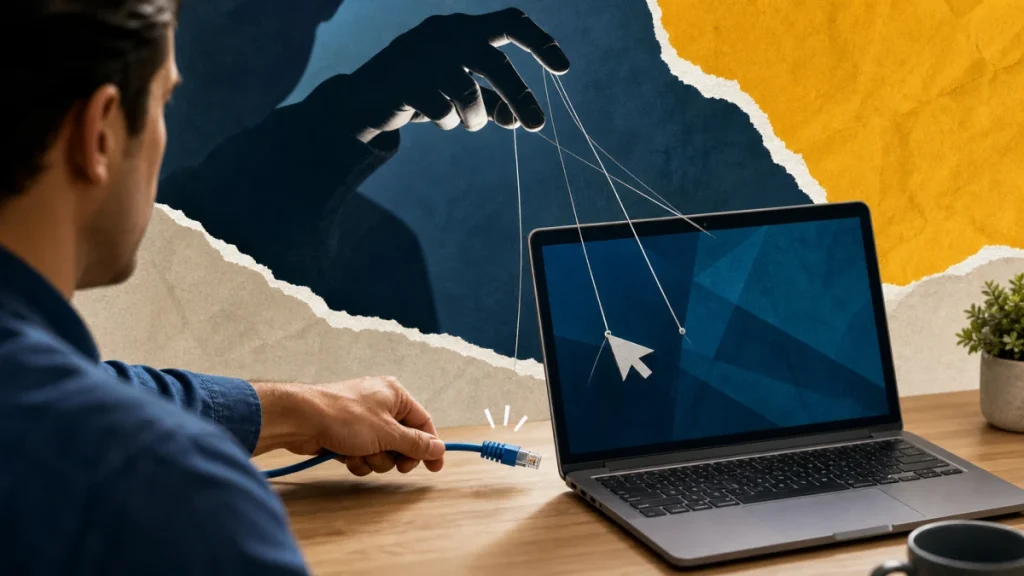
The warning itself can be the trap: an impersonator creates a believable problem, then offers a fast path that leads to a fake phone number, payment request, login page, or remote-access session. The scammer often claims to be support, a bank, or a fraud investigator. After gaining control, the person can obscure the screen, display normal system information as evidence of infection, watch logins, alter payment screens, or install persistent tools while narrating a fake repair or refund.
For a stranger requesting control of a computer, focus on authorization and evidence rather than confidence. A sender can copy appearance, learn personal details, or automate a conversation; the sender cannot make an unrelated account, independently listed contact, or official record confirm an event that never happened.
Clues that justify a pause
When evaluating a stranger requesting control of a computer, one clue may have an innocent explanation. Several clues surrounding a request for money, credentials, identity data, software, or secrecy create a much stronger reason to disengage.
- The caller asks you to download a tool before independently confirming the organization.
- You are told to open banking, move money, turn off security software, or hide the session from another person.
- The operator blanks the screen, requests unattended access, or creates a new local administrator.
- The contact arrived unexpectedly and demands action before you have time to verify the story.
- The message supplies the only phone number, link, or QR code it wants you to use.
- The sender asks for a password, verification code, remote access, gift card, wire, cryptocurrency, or transfer to a “safe” account.
A safer verification sequence
Verification of a stranger requesting control of a computer should create a new path that the original sender does not control. Work through the following sequence and stop as soon as the claim fails an independent check.
- Define the claim: If genuine support is needed, start from the vendor’s official help center, confirm the case, understand the tool and permissions, and stay present for the session.
- Leave the supplied channel: Contact the organization through a verified channel and describe the claim without using contact details supplied by the alert.
- Check the real record: Ask what specific, non-secret facts can be checked. A real representative should not need a password or one-time code to explain a notice.
- Confirm with an authorized source: Give yourself a cooling-off period. Urgent language is not evidence, and a legitimate issue can still be handled after independent verification.
- Record the outcome: Leave the message untouched and open the company or agency’s app or website independently. Use a bookmark, a statement, or an address you already know.
Do not let a verification call about a stranger requesting control of a computer become a continuation of the suspicious conversation. Find contact details independently, explain only what is necessary, and never disclose a password or one-time code merely to ask whether a notice is real.
Build a broader safety plan
For a stranger requesting control of a computer, once the immediate question is resolved, use these connected guides to reduce follow-on account, payment, or identity risk:
- If the event touches another account or payment, continue with the practical guide to QR code scam safety.
- A related control is explained in these safety steps for fake browser security alert, which can help prevent a follow-on attempt.
- Use the related subscription renewal scam invoice checklist when the suspicious contact changes channel or asks for a different kind of proof.
- For the next layer of verification, see a deeper explanation of verify an AI voice emergency call before approving another request.
Contain the damage and regain control
Match the response to what actually happened during a stranger requesting control of a computer. Opening a message, entering a password, installing software, sharing identity data, and sending money are different events and should not be treated as interchangeable.
- 1. Disconnect the network if the session is active, then remove remote tools and unknown administrator access.
- 2. Use another trusted device to secure email, banking, and other accounts accessed during the session.
- 3. Run updated security scans and consider professional inspection or a reset when the scope cannot be established.
- 4. Save the original message, sender details, URL, time, and receipts before blocking or deleting it.
- 5. Report the impersonation to the organization and, when appropriate, to ReportFraud.ftc.gov or IC3.gov.
- 6. Stop the conversation, close the page, and do not make a test payment or install anything.
Move quickly after a stranger requesting control of a computer, but avoid anyone who appears after the incident and guarantees recovery. Official providers may investigate or attempt a reversal; they cannot honestly promise that money, media, or account access will always be restored.
Prevention that fits this risk
- Keep remote access disabled unless you deliberately requested support and verified the provider through a separate channel.
- Store official support and fraud numbers before an emergency, especially for banks, mobile carriers, and frequently used services.
- Turn on account and transaction alerts, but treat every alert as a prompt to check the real account rather than a reason to follow an embedded link.
- Discuss a simple pause-and-verify rule with family members and coworkers who may receive the same impersonation attempt.
Prevention around a stranger requesting control of a computer is strongest when it reduces the number of decisions made under pressure. Bookmarks, saved official contacts, unique credentials, account alerts, and a trusted second person turn an urgent story into a routine check.
What to do now
- ☐ Stop using the sender’s link, number, QR code, payment route, or download.
- ☐ If genuine support is needed, start from the vendor’s official help center, confirm the case, understand the tool and permissions, and stay present for the session.
- ☐ Disconnect the network if the session is active, then remove remote tools and unknown administrator access.
- ☐ Save the original message and a short timeline before blocking or deleting it.
- ☐ Keep remote access disabled unless you deliberately requested support and verified the provider through a separate channel.
Frequently asked questions
Can accurate personal details authenticate the sender?
No. In the case of a stranger requesting control of a computer, design, caller ID, fluent writing, profile badges, screenshots, and personal details can be copied, spoofed, stolen, or generated. Confirm the underlying event and authority through an independently reached source.
Why is a separate channel important?
If genuine support is needed, start from the vendor’s official help center, confirm the case, understand the tool and permissions, and stay present for the session. Do not use a destination supplied by the contact you are trying to authenticate.
How quickly should I act after exposure?
Disconnect the network if the session is active, then remove remote tools and unknown administrator access. Use another trusted device to secure email, banking, and other accounts accessed during the session. The exact response depends on whether money, credentials, identity data, or device access was involved.
Should I confront the suspected scammer?
No single clue about a stranger requesting control of a computer is conclusive, and no response guarantees recovery. Evaluate the full request, preserve evidence, and use official providers and reporting channels rather than an unsolicited recovery agent.