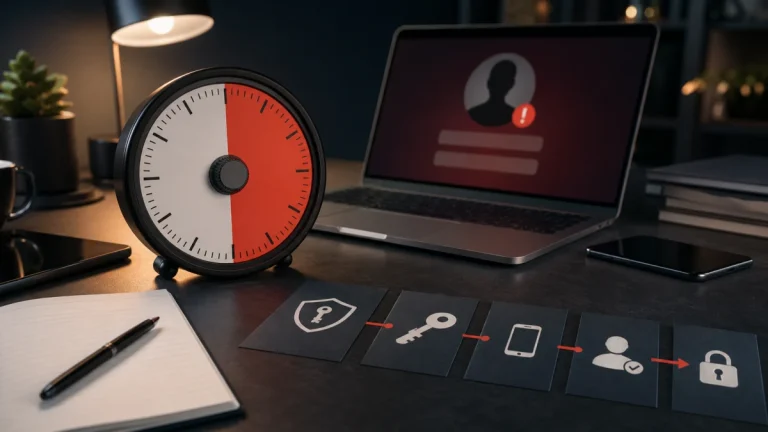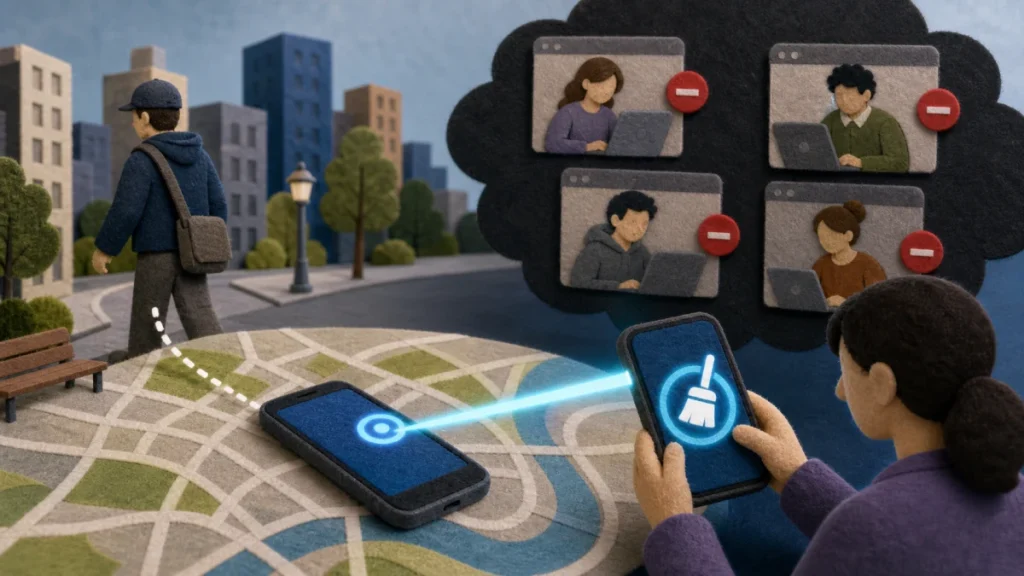
Mark the phone lost with the platform’s official find-device service, lock it, contact the carrier, and review the primary email, financial, password-manager, and cloud accounts. Change credentials when access may be exposed. Do not remove an Apple device from Find My prematurely, because that can remove Activation Lock.
The practical objective is to separate the claim from the channel that delivered it. Use another trusted device to activate Lost Mode or the equivalent, locate or erase according to platform guidance, and contact the carrier through its official channel. That pause preserves your options and prevents the sender from defining both the problem and the supposed solution.
Understand the underlying risk
A phone can contain active sessions, email, password storage, payment wallets, codes, photos of documents, and the number used for recovery. A screen lock and device protection reduce risk, but fast account and carrier action matters when the thief knows the passcode or the device was unlocked. In this context, recovery is a triage problem: stop ongoing access or payment first, secure the accounts that control other accounts, preserve evidence, and then work through official reporting and longer-term monitoring.
For a lost or stolen phone, focus on authorization and evidence rather than confidence. A sender can copy appearance, learn personal details, or automate a conversation; the sender cannot make an unrelated account, independently listed contact, or official record confirm an event that never happened.
Red flags that matter most
When evaluating a lost or stolen phone, one clue may have an innocent explanation. Several clues surrounding a request for money, credentials, identity data, software, or secrecy create a much stronger reason to disengage.
- The device was unlocked, the passcode was observed, or account-change alerts follow the loss.
- The carrier shows a new SIM, eSIM, or port request.
- Phishing texts claim the phone was found and ask for the device password or account login.
- Messages or pages are disappearing, increasing the need to preserve originals and a clear timeline.
- A password, one-time code, recovery method, session, or connected app changed without authorization.
- Money moved, a payment is pending, or a new recipient or card appears in an account.
A step-by-step authenticity check
Verification of a lost or stolen phone should create a new path that the original sender does not control. Work through the following sequence and stop as soon as the claim fails an independent check.
- Define the claim: Use another trusted device to activate Lost Mode or the equivalent, locate or erase according to platform guidance, and contact the carrier through its official channel.
- Leave the supplied channel: From a trusted device, inspect the primary email account, financial accounts, carrier account, and affected service for active sessions and changes.
- Check the real record: Determine exactly what happened: clicking alone, entering credentials, installing software, approving a login, exposing identity data, and sending money require different steps.
- Confirm with an authorized source: Check the official provider’s recovery page and status information instead of searching for a support number in an advertisement.
- Record the outcome: Record the time, account, device, payment method, recipient, and actions already taken so reports remain consistent.
Do not let a verification call about a lost or stolen phone become a continuation of the suspicious conversation. Find contact details independently, explain only what is necessary, and never disclose a password or one-time code merely to ask whether a notice is real.
Build a broader safety plan
For a lost or stolen phone, a safer response also protects the accounts and channels surrounding this event. These related guides extend the same verification habit:
- For the next layer of verification, see a deeper explanation of rebuild digital security after identity theft before approving another request.
- If the event touches another account or payment, continue with What to Do in the First 30 Minutes After an Account Is Hacked.
- A related control is explained in the practical guide to what to do after clicking a phishing link, which can help prevent a follow-on attempt.
- Use these safety steps for best password manager features for families when the suspicious contact changes channel or asks for a different kind of proof.
How to respond without making the loss worse
Match the response to what actually happened during a lost or stolen phone. Opening a message, entering a password, installing software, sharing identity data, and sending money are different events and should not be treated as interchangeable.
- 1. Remove payment cards or lock them through official account controls as appropriate.
- 2. Review and revoke sessions while preserving anti-theft locks and claim requirements.
- 3. File police and insurance reports when needed, without confronting a suspected thief.
- 4. Secure the controlling email account, replace exposed passwords, end sessions, and enable stronger authentication.
- 5. Preserve original messages, full email headers, URLs, account notices, receipts, transaction identifiers, and screenshots.
- 6. Use the platform, bank, carrier, FTC, IdentityTheft.gov, IC3, or local law enforcement channel that matches the incident.
Move quickly after a lost or stolen phone, but avoid anyone who appears after the incident and guarantees recovery. Official providers may investigate or attempt a reversal; they cannot honestly promise that money, media, or account access will always be restored.
Build a durable safety routine
- Enable find-device, a strong screen lock, SIM protection, backups, and stolen-device controls before loss occurs.
- Keep offline recovery codes, current contact details, device backups, and a list of critical accounts.
- Protect email and financial accounts with unique credentials and phishing-resistant authentication where available.
- Review sessions, connected apps, browser extensions, and transaction alerts periodically.
Prevention around a lost or stolen phone is strongest when it reduces the number of decisions made under pressure. Bookmarks, saved official contacts, unique credentials, account alerts, and a trusted second person turn an urgent story into a routine check.
What to do now
- ☐ Stop using the sender’s link, number, QR code, payment route, or download.
- ☐ Use another trusted device to activate Lost Mode or the equivalent, locate or erase according to platform guidance, and contact the carrier through its official channel.
- ☐ Remove payment cards or lock them through official account controls as appropriate.
- ☐ Save the original message and a short timeline before blocking or deleting it.
- ☐ Enable find-device, a strong screen lock, SIM protection, backups, and stolen-device controls before loss occurs.
Frequently asked questions
Does a familiar name or logo prove the contact is real?
No. In the case of a lost or stolen phone, design, caller ID, fluent writing, profile badges, screenshots, and personal details can be copied, spoofed, stolen, or generated. Confirm the underlying event and authority through an independently reached source.
What should I verify first?
Use another trusted device to activate Lost Mode or the equivalent, locate or erase according to platform guidance, and contact the carrier through its official channel. Do not use a destination supplied by the contact you are trying to authenticate.
What should I do after sharing information?
Remove payment cards or lock them through official account controls as appropriate. Review and revoke sessions while preserving anti-theft locks and claim requirements. The exact response depends on whether money, credentials, identity data, or device access was involved.
Can a security tool make this risk disappear?
No single clue about a lost or stolen phone is conclusive, and no response guarantees recovery. Evaluate the full request, preserve evidence, and use official providers and reporting channels rather than an unsolicited recovery agent.
This guide about a lost or stolen phone provides general educational information, not individualized financial or legal advice. Policies, reporting duties, dispute rights, and recovery options vary; use the official provider or a qualified professional for your situation.