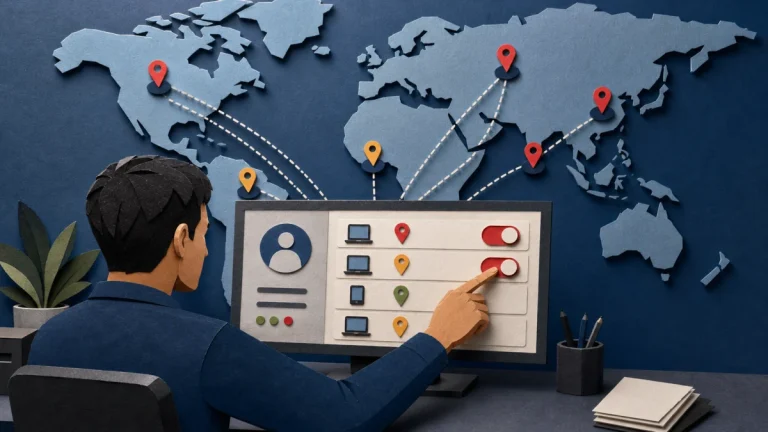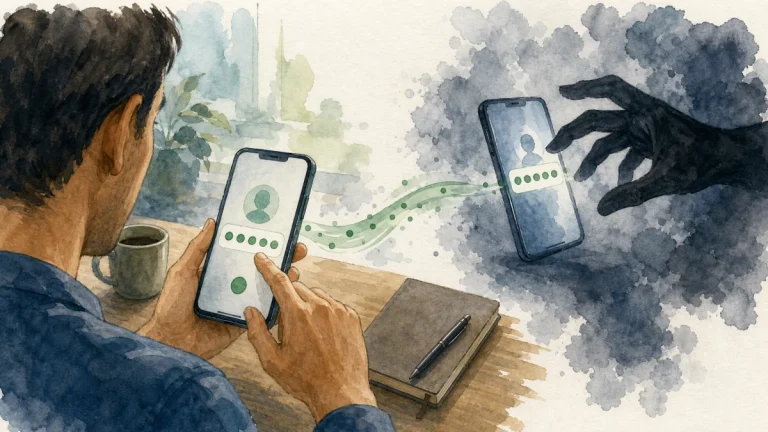
Turn on two-factor authentication first for email, financial, password-manager, cloud, mobile-carrier, and social accounts. Prefer a passkey, hardware security key, or authenticator app when supported; text codes are still better than a password alone but can be exposed by phishing or SIM swapping. Store backup codes safely.
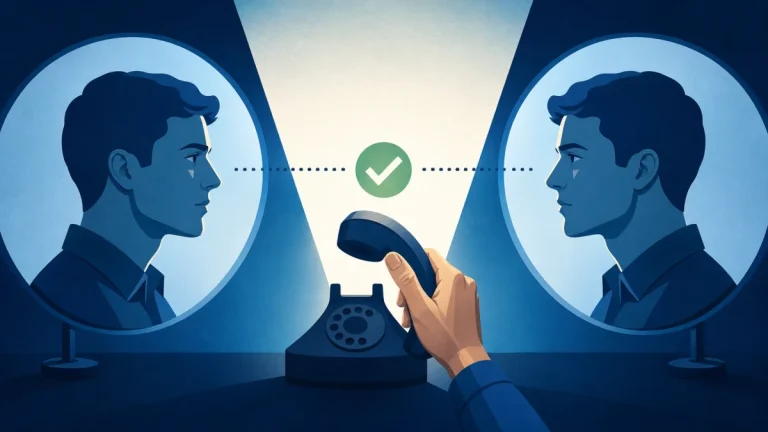
The practical objective is to separate the claim from the channel that delivered it. Use each account’s security settings, add at least one safe recovery method, record backup codes offline, and test sign-in before removing an old method. That pause preserves your options and prevents the sender from defining both the problem and the supposed solution.
How the situation develops
A social account is both a target and a trust amplifier. Once stolen or imitated, it can be used to reach contacts, advertise scams, request codes, or move victims to channels with fewer platform protections. A second factor blocks many logins made with a stolen password, but it must be configured with recovery in mind. Attackers may ask for one-time codes, send approval fatigue prompts, or trick users into scanning login QR codes. The user should approve only a sign-in they personally started.
For two-factor authentication across important accounts, focus on authorization and evidence rather than confidence. A sender can copy appearance, learn personal details, or automate a conversation; the sender cannot make an unrelated account, independently listed contact, or official record confirm an event that never happened.
Warning signs worth investigating
When evaluating two-factor authentication across important accounts, one clue may have an innocent explanation. Several clues surrounding a request for money, credentials, identity data, software, or secrecy create a much stronger reason to disengage.
- Unexpected approval prompts continue after a password leak.
- The only recovery method is the same phone that could be lost or SIM-swapped.
- A caller or message asks for a code or says approving a prompt will cancel fraud.
- The account sends messages, posts, follows, ads, or payment requests that the owner does not recognize.
- A moderator, recruiter, friend, or support agent asks for a password, login code, QR scan, token, or remote access.
- The conversation is pushed immediately to a private messaging app, personal email, or external form.
Verify the claim without following its instructions
Verification of two-factor authentication across important accounts should create a new path that the original sender does not control. Work through the following sequence and stop as soon as the claim fails an independent check.
- Define the claim: Use each account’s security settings, add at least one safe recovery method, record backup codes offline, and test sign-in before removing an old method.
- Leave the supplied channel: Verify a contact through a different known channel before acting on a new account, number, or unusual request.
- Check the real record: Review active sessions, recent security messages, connected applications, account details, and ad or payment activity.
- Confirm with an authorized source: For a recruiter, seller, or giveaway, check the organization’s official website and established account rather than the profile alone.
- Record the outcome: Keep the conversation on-platform until identity, terms, and payment protection have been independently confirmed.
Do not let a verification call about two-factor authentication across important accounts become a continuation of the suspicious conversation. Find contact details independently, explain only what is necessary, and never disclose a password or one-time code merely to ask whether a notice is real.
Build a broader safety plan
For two-factor authentication across important accounts, this incident rarely exists in isolation. The following related checks close common paths a scammer may try next:
- Use What to Do When Your Facebook Account Is Hacked when the suspicious contact changes channel or asks for a different kind of proof.
- For the next layer of verification, see the practical guide to recover a compromised Instagram account before approving another request.
- If the event touches another account or payment, continue with these safety steps for secure Gmail after suspicious activity.
- A related control is explained in the related identity theft warning signs checklist, which can help prevent a follow-on attempt.
What to do if you already interacted
Match the response to what actually happened during two-factor authentication across important accounts. Opening a message, entering a password, installing software, sharing identity data, and sending money are different events and should not be treated as interchangeable.
- 1. Reject uninitiated prompts and change the password if they persist.
- 2. Remove unknown trusted devices and methods.
- 3. Keep a spare security key or protected recovery code for critical accounts.
- 4. Remove unknown recovery methods and connected apps, and turn on multi-factor authentication with saved backup options.
- 5. Warn contacts through another channel if the account sent scam messages, and review ads or payments for unauthorized activity.
- 6. Report and block the impersonating profile, message, job, listing, or giveaway with the platform’s own controls.
Move quickly after two-factor authentication across important accounts, but avoid anyone who appears after the incident and guarantees recovery. Official providers may investigate or attempt a reversal; they cannot honestly promise that money, media, or account access will always be restored.
Make the next attempt less effective
- Review authentication and recovery methods twice a year and after changing a phone number or device.
- Treat verification codes and QR login approvals like passwords: they authorize access and should not be shared.
- Use a unique password or passkey, stronger multi-factor authentication, and login alerts.
- Keep recovery contact information current and store backup codes somewhere separate from the device.
Prevention around two-factor authentication across important accounts is strongest when it reduces the number of decisions made under pressure. Bookmarks, saved official contacts, unique credentials, account alerts, and a trusted second person turn an urgent story into a routine check.
What to do now
- ☐ Stop using the sender’s link, number, QR code, payment route, or download.
- ☐ Use each account’s security settings, add at least one safe recovery method, record backup codes offline, and test sign-in before removing an old method.
- ☐ Reject uninitiated prompts and change the password if they persist.
- ☐ Save the original message and a short timeline before blocking or deleting it.
- ☐ Review authentication and recovery methods twice a year and after changing a phone number or device.
Frequently asked questions
Can a professional-looking message still be fraudulent?
No. In the case of two-factor authentication across important accounts, design, caller ID, fluent writing, profile badges, screenshots, and personal details can be copied, spoofed, stolen, or generated. Confirm the underlying event and authority through an independently reached source.
Should I reply before I verify it?
Use each account’s security settings, add at least one safe recovery method, record backup codes offline, and test sign-in before removing an old method. Do not use a destination supplied by the contact you are trying to authenticate.
What if I already followed part of the request?
Reject uninitiated prompts and change the password if they persist. Remove unknown trusted devices and methods. The exact response depends on whether money, credentials, identity data, or device access was involved.
Is one warning sign enough to prove a scam?
No single clue about two-factor authentication across important accounts is conclusive, and no response guarantees recovery. Evaluate the full request, preserve evidence, and use official providers and reporting channels rather than an unsolicited recovery agent.