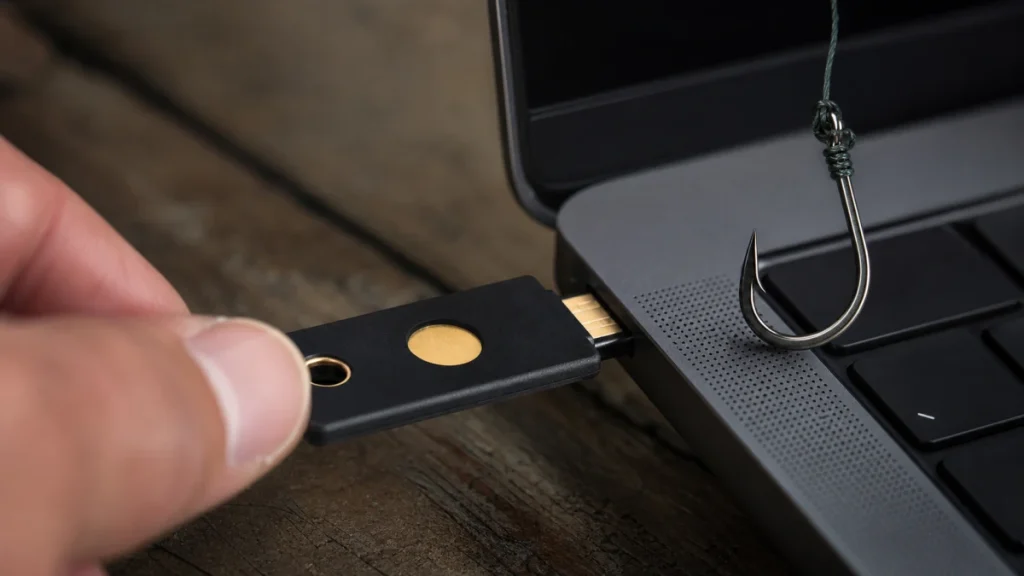
A hardware security key is a physical authenticator that can provide phishing-resistant sign-in when a service supports standards such as FIDO. It is especially useful for people at higher risk, administrators, finance, journalists, public figures, and anyone protecting critical email or a password manager. Plan for a spare key and recovery.
The practical objective is to separate the claim from the channel that delivered it. Check service compatibility and connector needs, register at least two keys where possible, label and store the spare separately, and test recovery before relying on it. That pause preserves your options and prevents the sender from defining both the problem and the supposed solution.
What is happening behind the message
The key proves possession cryptographically and checks the real service origin, so a lookalike site cannot collect a reusable one-time code. The key does not encrypt every file or prevent malware, and account-recovery methods can still weaken protection if they fall back to easily phished channels. In this context, security products solve different problems. Buying by fear or by a long feature list can leave the real risk uncovered, while built-in controls, good account practices, and a carefully chosen specialized tool may be more useful.
For hardware security keys for account protection, focus on authorization and evidence rather than confidence. A sender can copy appearance, learn personal details, or automate a conversation; the sender cannot make an unrelated account, independently listed contact, or official record confirm an event that never happened.
Risk signals to evaluate together
When evaluating hardware security keys for account protection, one clue may have an innocent explanation. Several clues surrounding a request for money, credentials, identity data, software, or secrecy create a much stronger reason to disengage.
- Only one key exists and no supported recovery option has been tested.
- A weak SMS or email fallback remains available to bypass the key.
- The user assumes the key protects sessions already stolen from an infected device.
- The product relies on vague labels without explaining what is monitored, blocked, stored, insured, or supported.
- A low introductory price hides renewal terms, device limits, feature tiers, deductibles, or exclusions.
- The seller uses a frightening pop-up or unsolicited call to claim the device is already infected.
How to check the claim independently
Verification of hardware security keys for account protection should create a new path that the original sender does not control. Work through the following sequence and stop as soon as the claim fails an independent check.
- Define the claim: Check service compatibility and connector needs, register at least two keys where possible, label and store the spare separately, and test recovery before relying on it.
- Leave the supplied channel: Review exclusions and limits instead of assuming a monitoring alert prevents a crime or insurance repays stolen money.
- Check the real record: Test usability during a trial with noncritical data; a control people bypass or cannot recover may not improve real security.
- Confirm with an authorized source: Define the threat first—malware, reused passwords, phishing, lost devices, new-account fraud, privacy on a network, or recovery assistance.
- Record the outcome: Compare exact capabilities, supported platforms, recovery design, update policy, privacy practices, support, and total renewal cost.
Do not let a verification call about hardware security keys for account protection become a continuation of the suspicious conversation. Find contact details independently, explain only what is necessary, and never disclose a password or one-time code merely to ask whether a notice is real.
Build a broader safety plan
For hardware security keys for account protection, a safer response also protects the accounts and channels surrounding this event. These related guides extend the same verification habit:
- For the next layer of verification, see these safety steps for credit monitoring vs identity monitoring before approving another request.
- If the event touches another account or payment, continue with the related free antivirus vs paid antivirus checklist.
- A related control is explained in a deeper explanation of choose security software without fear marketing, which can help prevent a follow-on attempt.
- Use How to Check Whether a Scam Alert Is Real or Fake when the suspicious contact changes channel or asks for a different kind of proof.
Response steps after possible exposure
Match the response to what actually happened during hardware security keys for account protection. Opening a message, entering a password, installing software, sharing identity data, and sending money are different events and should not be treated as interchangeable.
- 1. Revoke a lost key in each registered account promptly.
- 2. Review sessions and device security after suspected compromise.
- 3. Replace or add keys before travel, role changes, or hardware retirement.
- 4. Keep core protections—updates, unique credentials, multi-factor authentication, backups, and alerts—even after buying a product.
- 5. Do not purchase from a pop-up or unsolicited support call. Close it and obtain software through the official vendor or app store.
- 6. Remove duplicate or abandoned security tools that conflict, stop receiving updates, or retain unnecessary access.
Move quickly after hardware security keys for account protection, but avoid anyone who appears after the incident and guarantees recovery. Official providers may investigate or attempt a reversal; they cannot honestly promise that money, media, or account access will always be restored.
Strengthen the surrounding accounts and habits
- Treat the spare and recovery path as part of the security-key purchase, not optional accessories.
- Choose tools against a written list of needs and threat scenarios, not a fear-based countdown or generic score.
- Prefer products with clear security architecture, privacy terms, support, export, and recovery options.
- Use layered controls: no VPN, antivirus, monitoring service, or password manager replaces safe verification behavior.
Prevention around hardware security keys for account protection is strongest when it reduces the number of decisions made under pressure. Bookmarks, saved official contacts, unique credentials, account alerts, and a trusted second person turn an urgent story into a routine check.
What to do now
- ☐ Stop using the sender’s link, number, QR code, payment route, or download.
- ☐ Check service compatibility and connector needs, register at least two keys where possible, label and store the spare separately, and test recovery before relying on it.
- ☐ Revoke a lost key in each registered account promptly.
- ☐ Save the original message and a short timeline before blocking or deleting it.
- ☐ Treat the spare and recovery path as part of the security-key purchase, not optional accessories.
Frequently asked questions
Does a familiar name or logo prove the contact is real?
No. In the case of hardware security keys for account protection, design, caller ID, fluent writing, profile badges, screenshots, and personal details can be copied, spoofed, stolen, or generated. Confirm the underlying event and authority through an independently reached source.
What should I verify first?
Check service compatibility and connector needs, register at least two keys where possible, label and store the spare separately, and test recovery before relying on it. Do not use a destination supplied by the contact you are trying to authenticate.
What should I do after sharing information?
Revoke a lost key in each registered account promptly. Review sessions and device security after suspected compromise. The exact response depends on whether money, credentials, identity data, or device access was involved.
Can a security tool make this risk disappear?
No single clue about hardware security keys for account protection is conclusive, and no response guarantees recovery. Evaluate the full request, preserve evidence, and use official providers and reporting channels rather than an unsolicited recovery agent.
This guide about hardware security keys for account protection provides general educational information, not individualized financial or legal advice. Policies, reporting duties, dispute rights, and recovery options vary; use the official provider or a qualified professional for your situation.